ARK Survival Ascended Server Settings: Practical Setup Guide

ASA server administration Reviewed July 30, 2026
Good ARK: Survival Ascended settings reduce grind without deleting progression. The safest setup starts with a clear server goal, a small number of documented changes, and a tested backup.
ARK2.com tool check Tested August 12, 2026
What we tested in the settings generator
We opened every built-in preset and inspected the actual browser-generated output instead of assuming the controls produced valid-looking files.
- Every preset produced one
[ServerSettings]block and one[/Script/ShooterGame.ShooterGameMode]block. - All five outputs used readable
key=valuelines and contained no duplicate key inside either generated block. - The PvE/PvP control changed
ServerPVE=TruetoServerPVE=Falseand back as displayed. - Each built-in preset preserved the displayed common wild-level cap of 150.
Limit of this check: this validates the generator’s browser output, not every host panel or a production ASA boot. Hosts can rewrite configuration files, and gameplay-rate combinations still need a backup-world test.
Choose a balanced preset, tune your rates, then copy or download clean GameUserSettings.ini and Game.ini blocks.
Recommended starting point: keep difficulty and progression close to official, then use moderate boosts such as 2x XP, 2x harvesting, 3x taming, and faster breeding. Change one system at a time and test it on a backup before applying it to a long-running world.

Launch arguments, GameUserSettings.ini, and Game.ini
ASA server configuration is split across three main locations. Putting a valid option in the wrong place can make it appear broken.
- Launch arguments control startup behavior such as the map, platform access, ports, and certain server-wide features.
- GameUserSettings.ini holds common session and gameplay values under sections such as
[ServerSettings]. - Game.ini handles deeper rules such as per-level stat scaling, engram changes, creature overrides, and some breeding values.
On a dedicated server, the executable is followed by the ASA map name. The Island’s server level is TheIsland_WP; other maps use their documented level names. Hosting panels may expose these values as form fields instead of a visible command line.
Before editing anything
Stop the server cleanly, copy the current configuration and save folder, record the game version, and keep the previous working files. Do not edit the only copy of a live world.
Balanced PvE or small-group starter settings
This is a moderate baseline, not a universal “best” configuration. It shortens repetitive work while preserving the value of better tools, creatures, kibble, and breeding lines.
[ServerSettings]
DifficultyOffset=1.0
XPMultiplier=2.0
HarvestAmountMultiplier=2.0
TamingSpeedMultiplier=3.0
PlayerCharacterWaterDrainMultiplier=0.8
PlayerCharacterFoodDrainMultiplier=0.8
AllowThirdPersonPlayer=True
ShowMapPlayerLocation=True
ServerCrosshair=True
What these values do:
- 2x experience speeds early engrams without instantly skipping the progression curve.
- 2x harvesting makes solo and small-group building more practical.
- 3x taming lowers waiting time while preserving the advantage of preferred foods and preparation.
- 0.8 food and water drain reduces routine interruption without removing survival needs.
- Map location, crosshair, and third person make a casual PvE server easier to learn.
PvP communities should decide separately whether navigation helpers, third person, structure damage, cave building, offline protection, and tribe limits match the intended ruleset.
Difficulty and wild creature levels
Difficulty affects wild level ranges and the quality of some rewards. It should be set deliberately and tested after a wild-creature wipe on a disposable or backed-up environment. Changing difficulty does not automatically replace creatures already spawned on the map.
Avoid stacking several copied difficulty overrides without understanding which one wins. Hosting panels sometimes generate their own values, so compare the saved file after the panel writes it.
Breeding without instant babies
Breeding rates interact. Faster maturation can make imprint intervals impossible unless the cuddle timer is adjusted as well. Start conservatively and test one complete breeding cycle for a small creature and a large creature.
[/Script/ShooterGame.ShooterGameMode]
MatingIntervalMultiplier=0.5
EggHatchSpeedMultiplier=5.0
BabyMatureSpeedMultiplier=5.0
BabyCuddleIntervalMultiplier=0.2
This example aims for a roughly five-times-faster breeding loop while giving more frequent imprint opportunities. Species have different timers, and patches can alter behavior, so verify that at least one full imprint is possible before opening the server to players.
Extremely high maturation values can remove decision-making, break imprint timing, create performance spikes, and flood a base with creatures. Faster is not always more playable.
Solo, PvE, and PvP need different priorities
| Server type | Good first changes | Settings to treat carefully |
|---|---|---|
| Solo / co-op | Harvest, taming, breeding, map location | Non-dedicated tether, pause behavior, single-player scaling |
| PvE community | Decay, tribe governance, breeding, structure limits | Permanent downloads, cave building, abandoned structures |
| Small-tribe PvP | Tribe cap, harvest, taming, rebuild speed | Offline protection, turret rules, transfers, damage multipliers |
| Competitive cluster | Consistent rules across maps, transfer policy, logs | Mod parity, exploits, rollback policy, seasonal wipes |
Crossplay and server platforms
Current ASA dedicated-server references use -ServerPlatform to control platform access. The ALL value enables broad crossplay between the supported PC and console platform groups. Individual values are available when a server needs to limit access.
Do not rely on older ARK: Survival Evolved guides that use -crossplay; the official community configuration reference identifies that argument as obsolete for ASA. When changing platform access, confirm that every mod is approved for the same platforms. Our ASA crossplay and mods guide includes a compatibility checklist.
Adding mods safely
- Back up the world and configuration.
- Record the current working mod list and order.
- Confirm each project ID, dependency, platform, and last update.
- Add one major content mod—or a small related group—at a time.
- Start the server and inspect its log before allowing players to join.
- Test crafting, spawning, transfers, restarts, and a save/reload cycle.
Removing a mod can permanently delete its creatures, structures, items, or map data from the save. Never test removal on the only production copy.
Backups, restarts, and update discipline
A backup is useful only if it can be restored. Keep several generations, store at least one copy outside the active server folder, and periodically perform a test restoration. Protect:
- World save files.
- Player and tribe data.
GameUserSettings.iniandGame.ini.- The launch command or hosting-panel export.
- The ordered mod list.
Schedule restarts during communicated maintenance windows. Before a major ASA patch, save the world, stop cleanly, back up, update the server, update mods, review the log, and only then reopen. If the game client has updated but the server has not, players may see version mismatch or an empty server result.
Common reasons settings appear not to work
- The value is in the wrong INI file or section.
- The hosting panel overwrote a manual edit.
- The server was still running when the file was changed.
- A duplicate setting later in the file overrides the first.
- The setting affects only newly spawned creatures or items.
- The option belongs to Survival Evolved and is obsolete in ASA.
- A mod changes the same behavior.
When troubleshooting, return to a known working backup and reapply one documented change. Randomly adding more options usually makes the cause harder to find.
ASA server settings FAQ
What rates are best for a small ASA group?
A practical starting point is 2x XP, 2x harvesting, 3x taming, and 5x breeding speeds. Adjust after a week of real play rather than maximizing everything immediately.
Should I edit Game.ini or GameUserSettings.ini?
Common server settings usually belong in GameUserSettings.ini; deeper progression, stat, engram, and breeding rules often belong in Game.ini. Verify every option against the current ASA configuration reference.
Can I copy an ASE server config into ASA?
Not safely. Many values remain familiar, but some launch arguments and systems changed. Build an ASA configuration from a current reference and migrate only verified settings.
Configuration reference
- ARK Official Community Wiki: Server configuration
- ARK Official Community Wiki: Dedicated server setup
Reviewed July 30, 2026. Back up a live server before changing configuration, mods, or maps.
Editorial review
How this guide was prepared
Written and maintained by ZeroCool for ARK2.com. Important release, platform, roadmap, mod, and configuration claims are checked against the primary references linked in the guide.
- Fact-checked
- July 30, 2026
- Last updated
- August 12, 2026
- Standards
- Read our editorial policy
- Found an error?
- Request a correction
Keep surviving
Continue reading
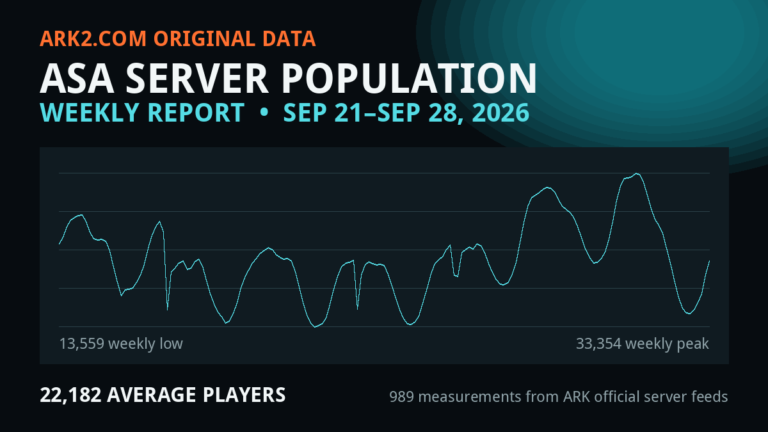
ARK: Survival Ascended Server Population Report — Week Ending September 28, 2026
ASA averaged 22,182 players across listed multiplayer servers this week, peaked at 33,436, and recorded 22,694 current players…
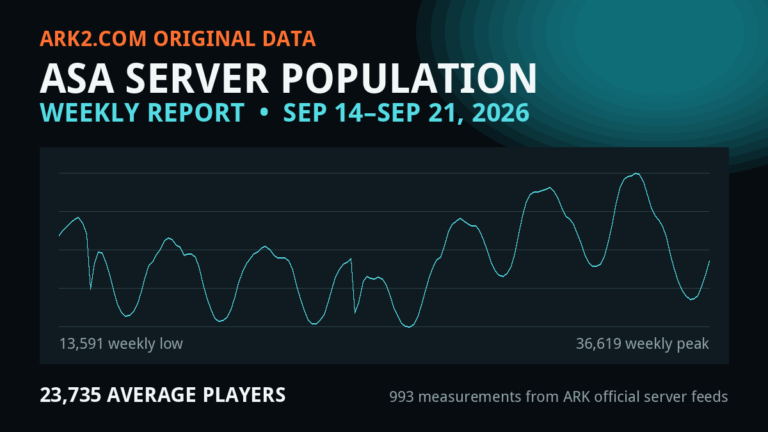
ARK: Survival Ascended Server Population Report — Week Ending September 21, 2026
ASA averaged 23,735 players across listed multiplayer servers this week, peaked at 36,802, and recorded 24,247 current players…
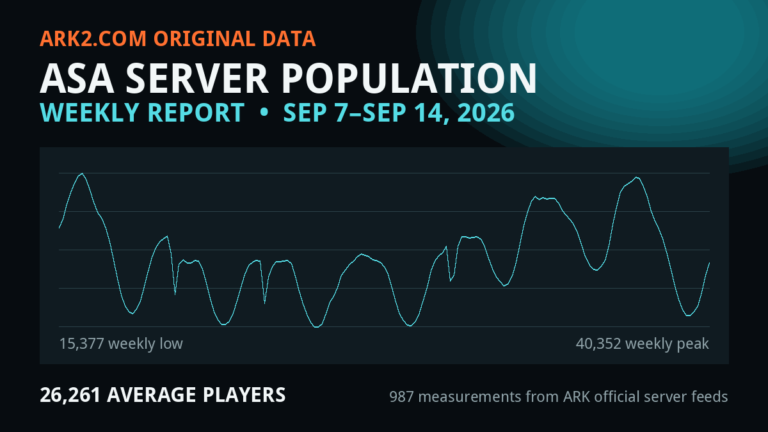
ARK: Survival Ascended Server Population Report — Week Ending September 14, 2026
ASA averaged 26,261 players across listed multiplayer servers this week, peaked at 40,500, and recorded 26,449 current players…