ARK Survival Ascended Crossplay and Mods: Complete Guide
ASA multiplayer guide Reviewed July 30, 2026
ARK: Survival Ascended was built around cross-platform multiplayer and a shared mod ecosystem. The experience is broad, but server filters, mod approval, updates, and platform limits still matter.
Original ARK2.com measurement Updated October 1, 2026 at 1:46 am EDT
What the live ASA server directory shows
These counts come from the latest completed Studio Wildcard official and unofficial server-list snapshot—not a survey or an estimate.
Advertised platform groupsCounts overlap because one server can support more than one platform.
PC49,528 PlayStation 546,562 Xbox Series45,266Quick answer: ASA supports cross-platform multiplayer and mods across its current PC and console ecosystem, including Steam, Epic Games Store, Xbox Series X|S, Windows PC, and PlayStation 5. A particular server or mod can still exclude a platform, so always check the server’s platform setting and the mod’s Cross-Platform label.
How ASA crossplay works
ARK: Survival Ascended supports multiplayer across its current PC and console platforms, but the server decides who can join. Official server types publish their own platform rules, while unofficial and dedicated servers can be configured for a broader or narrower platform set.
For dedicated servers, the current configuration reference uses the -ServerPlatform launch argument. Values include individual platform groups and ALL for crossplay between Steam, Windows Store, Xbox, and PlayStation. Older advice that tells ASA admins to use ARK: Survival Evolved’s -crossplay switch is outdated.
If friends cannot find the same server, check these basics before changing files:
- Everyone is playing ARK: Survival Ascended, not Survival Evolved.
- The server is on the same game version as every client.
- The correct server filter is selected: official, unofficial, player-hosted, or favorites.
- The server allows each player’s platform.
- Any required mods have downloaded and finished installing.
- The server is not restarting, updating, full, password protected, or temporarily hidden.
How cross-platform mods work
ASA uses CurseForge-backed mod distribution and an in-game Mod Browser. Community creators can publish creatures, structures, maps, utilities, cosmetics, and larger gameplay conversions. Studio Wildcard introduced cross-platform mods for consoles alongside the Xbox and PlayStation releases.
CurseForge’s current moderation guidance states that ASA mods are available across Steam, Xbox Series X|S, Windows PC, and PlayStation 5, but platform policies differ. A mod may be available on one platform and not another. That is why the specific mod page matters more than a broad claim that “ASA mods are crossplay.”
Look for the Cross-Platform label
A PC-only mod can prevent console players from joining a modded server. Confirm the label and supported files for every mod in the stack before advertising a server as full crossplay.
A safe mod checklist for players
- Read the project page. Check its supported platform, last update, dependencies, known issues, and author instructions.
- Confirm the server’s exact mod list. A similarly named project may not be the same package.
- Allow downloads to finish. Joining before a large map or creature pack completes can cause timeouts.
- Keep free space available. Mod updates may need temporary storage in addition to their final installed size.
- Restart the game after major updates. This clears stale sessions and lets the client reload the current packages.
- Do not remove a content mod casually. Structures, items, or creatures supplied by that mod may disappear from a save.
Does mod load order matter?
It can. Total conversions, map mods, core libraries, stack mods, structure replacements, and projects that modify the same resources may need a particular order. Follow the mod author’s instructions first. When no order is documented, add mods in small groups and test after each change instead of installing a large unverified stack.
A stable list is more valuable than the longest list. Each additional dependency adds download time, memory use, update risk, and another possible conflict.
Why does a modded ASA server fail to appear or load?
Version mismatch
The server and client may have received game or mod updates at different times. Restart both, verify that the server finished updating, and let every required mod download again.
Platform approval changed or is incomplete
A newly published update may reach PC before completing console review. Check the mod page and creator notices. Server owners may need to delay the update or temporarily remove the affected project only after protecting the save.
Missing dependency or wrong project ID
Some mods rely on a separate library. Confirm every dependency and ID against the current project page rather than copying an old list from a video or forum post.
Damaged local mod data
If one player fails while others connect, the local package may be incomplete. Remove and redownload only the affected mod using the platform’s supported interface. Back up local saves before clearing broader game data.
Load-order conflict
Disable recently added mods in a test copy of the world, not the only production save. Reintroduce them one at a time until the conflict is isolated.
Best practices for modded server owners
- Back up the world, player data, tribe data, and configuration before every major change.
- Keep a written list of mod IDs and their purpose.
- Test updates on a staging server or cloned save when possible.
- Announce maintenance windows before changing the stack.
- Confirm cross-platform approval before restarting a mixed-platform cluster.
- Avoid automatic removals when an update fails; protect save integrity first.
- Record the previous working order so a rollback is possible.
For a practical configuration foundation, use our ARK Survival Ascended server settings guide. It explains launch arguments, GameUserSettings.ini, Game.ini, rates, and backup discipline.
Are premium mods cross-platform?
Premium projects can be part of the ASA ecosystem, but purchase, entitlement, availability, and server requirements are project- and platform-dependent. Check the live project page and the in-game interface before adding one to a public cluster. Do not assume every player owns the same paid content.
ASA crossplay FAQ
Can Steam and Xbox players play ASA together?
Yes, on servers configured to allow both platforms and running compatible mods.
Can PS5 use ASA mods?
Yes. PlayStation 5 supports approved ASA mods through the in-game ecosystem, although an individual mod may not be approved for every platform.
Do console players use Steam Workshop?
No. ASA uses its in-game CurseForge-backed Mod Browser rather than relying on Steam Workshop for the shared cross-platform ecosystem.
Primary references
- Studio Wildcard: Cross-platform mods launch coverage
- CurseForge: ASA cross-platform moderation guidance
- ARK: Survival Ascended on Epic Games Store
- ARK Official Community Wiki: Server configuration
Reviewed July 30, 2026. Server, platform, and mod compatibility can change with updates.
Editorial review
How this guide was prepared
Written and maintained by ZeroCool for ARK2.com. Important release, platform, roadmap, mod, and configuration claims are checked against the primary references linked in the guide.
- Fact-checked
- July 30, 2026
- Last updated
- August 12, 2026
- Standards
- Read our editorial policy
- Found an error?
- Request a correction
Keep surviving
Continue reading

ARK: Survival Ascended v94.7 Adds Two Tames, Ships, Astraeos Depths and Genesis Outposts
ARK: Survival Ascended’s v94.7 update launches Cerberax, Gargantar and the Therizinosaurus TLC, while expanding Astraeos, Genesis and ship…
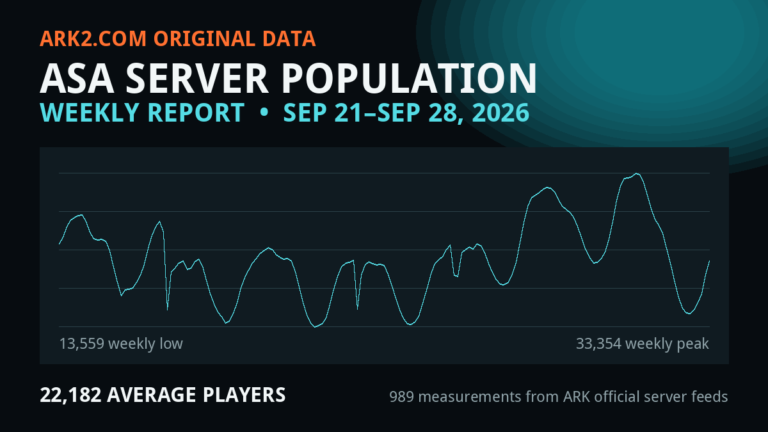
ARK: Survival Ascended Server Population Report — Week Ending September 28, 2026
ASA averaged 22,182 players across listed multiplayer servers this week, peaked at 33,436, and recorded 22,694 current players…
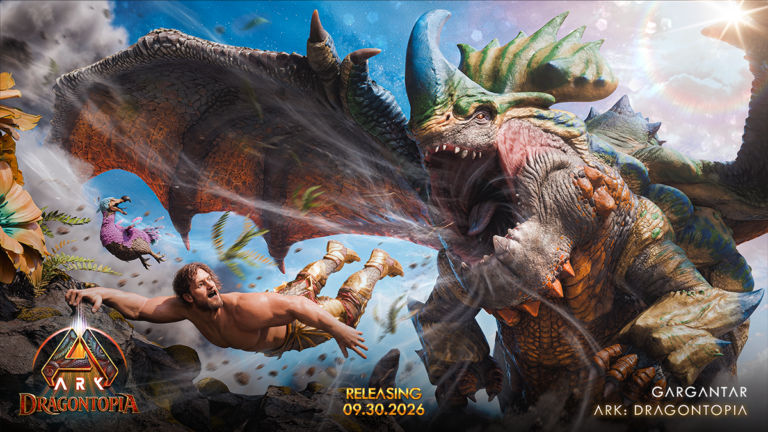
Gargantar’s Defensive Abilities Revealed Ahead of ARK’s September 30 Update
Community Crunch 525 previews Gargantar’s feeding and protection abilities, confirms September 30 creature releases, and details mod deadlines,…